

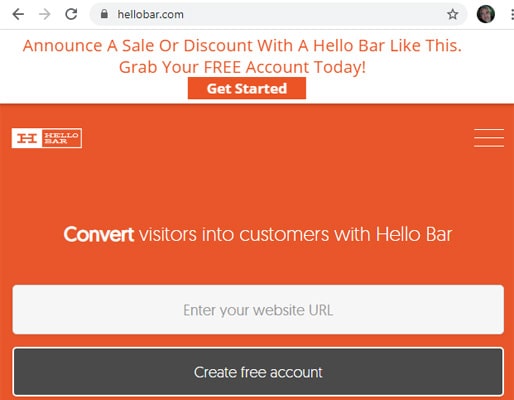
Pop-up Coronavirus COVID-19 Notice on Your Website – Sign up for a free account at Hellobar.com to create a pop-up on your website.
HELLO BAR IS A GREAT WAY TO HELP SMALL BUSINESSES DISPLAY ANNOUNCEMENTS
As we all confront the spread of the Coronavirus, communication is critical for staff, employees, customers, and clients. Hellobar will help you get up and running.
If you have a WordPress website, you must download the HelloBar plugin.If you do not have a WordPress website, no problem. You can still use HelloBar. (more about that below)
HELLO BAR VERSUS OTHER WORDPRESS PLUGINS
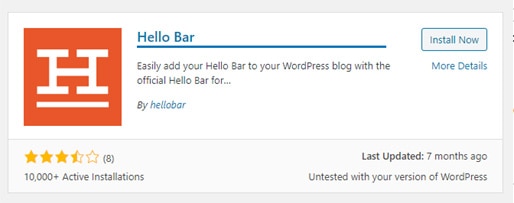
There are lots of pop-up or notice-driven plugins for WordPress. However, I like Hello Bar because all the heavy lifting happens outside your website. In other words, this plugin doesn’t slow down or bloat your website with heavy code.
MOBILE FRIENDLY
The Hello Bar is responsive. In other words, it looks great on all desktop browsers, mobile devices, tablets, and laptops.
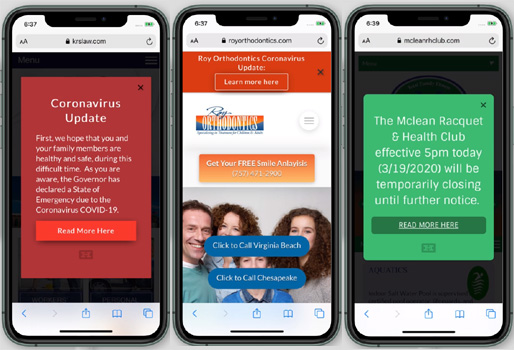
So, let’s get you going on your first pop-up or notice. Once you sign up for your free account, here’s how to install it.
INSTALLATION INSTRUCTIONS
Log in to your free Hellobar account and click the ‘settings’ tab to reveal your website’s source code or ID snippet code.
INSTALL HTML CODE IN A NON-WORDPRESS SITE
If you know HTML and can edit your site, installation takes just one line of code. Copy and paste the following code to install Hello Bar right before your closing </body> tag.
<script src=”https://my.hellobar.com/12345.js” type=”text/javascript” charset=”utf-8″ async=”async”></script> (example script)
You’ll never need to update the code on your site again.
INSTALL WORDPRESS SNIPPET
Copy your site snippet while logged into your Hello Bar account.
0a57e0a450794278optdfrxcf1kjip675a6f5786 (example snippet)
When you see a new Hello Bar option in your WP admin side menu. Select it to open the plugin and paste your site snippet.
WIX WEBSITE USERS
We offer a straightforward copy-and-paste integration if your site is built on Wix. Copy your ID: 0a57e0a450794278optdfrxcf1kjip675a6f5786 (example ID)
Go to your Wix account, click Promote > Marketing integration, then in the Hello Bar widget, click Go for it.
WATCH THE HELLO BAR IN ACTION
ABOUT VISIONEFPop-upup Coronavirus COVID-19 Notice on Your Website – VISIONEFX provides services to small business owners throughout the United States, including WordPress, Drupal, Moodle, and Joomla development. We also offer expert SEO and web maintenance services.
Please read what our customers have to say about VISIONEFX on Google Reviews.
For more information, call (757) 619-6456 or email info@visionefx.net.
Also, see related articles.
Coronavirus Impacts Google My Business
Is Wix A Good Website Builder?
Learn More About WordPress Plugins