
SPAM WARS: FIGHTING EMAIL SPAM
BLOCKING THOSE ODD-BALL EMAILS FROM MAKING THEIR WAY INTO YOUR INBOX
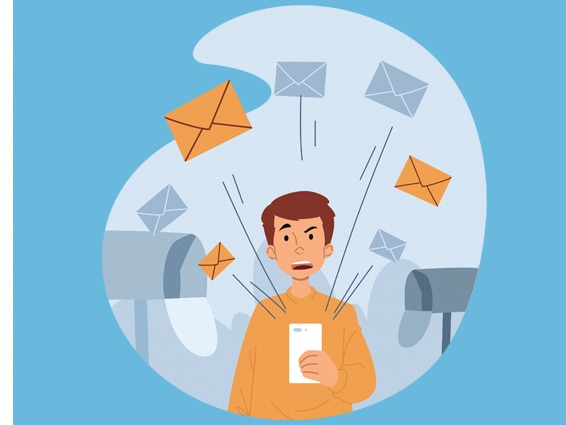
Welcome to Spam Wars. Never-ending battles are being waged for your inbox. The spammers’ quest, duty, and job are to get you to click or open their email. I love email spammers, but most people don’t, so you ask, how do you deal with email spam?
CONFIRMATION REQUIRED
This is the highest level of protection where the sender requires an action or reply. While this is an effective way to block unwanted emails, you may block important automated emails from essential sources like your bank or credit card companies.
Also, see DEALING WITH EMAIL SPAM
REPORTING MALICIOUS SPAMMERS
Hackers and Spammers use two common types of malicious emails: virus attachments (See virus basics) and spam, which seek to steal financial information. Virus attachments cannot infect your computer unless you click or open the attachment. Many virus protection software programs warn you once a virus attachment has been received. Some popular programs include Norton, McAfee, and Avast.
Spammers seeking to steal your personal information or gain access to your financial information go to great lengths to trick unwary users by creating emails that look exactly like an official email from a reputable financial or online company.
DETECTING FINANCIAL FRAUD
If you see an email that looks suspicious, there are ways to detect it. Let’s say your email is from Bank of America. The email warns you that someone has attempted to access your account, and your cooperation is needed to prevent this from happening.
The email looks very official and contains their logo and a correctly formatted hyperlink that reads like this: bankofamerica.com/ account_resolutions.
But once you click this, you will see a very different link, which still looks official. The page still looks like Bank of American, but the web address is linking to another website, aka clickster.com/bankofamerica.com
When you see these emails, please forward them to the proper departments of the company or organization. Here are two emails for reporting suspicious emails to PayPal and Bank of America. Forward suspicious emails to abuse@bankofamerican.com and spoof@paypal.com
A SPAMMERS WEAPON OF CHOICE
The spammers’ weapon of choice is surprising. Even I’ve been fooled once or twice out of sheer curiosity. The email might be titled ‘Dear Rick’ or ‘Rick, please read this.’ Spammers or mass email marketers need to sneak past your spam filters, which are either set up by your Internet Service Provider (ISP) or your email client spam filters. Internet Service Providers can only do so much. It’s up to you if you want more protection. Some third-party providers specialize in identifying and blocking spam.
HOW TO IDENTIFY SPAM
Here is what a typical spam email might look like.
From Address: legal_billpay@biz.com!
From Domain: billpayers.net
Subject: We will pay all your late bill fees today.
Body Text: You have approval!
Attachments:
Specific file Names: pay now
Specific File Extensions: paynow.exe
Most ISPs have an ongoing file of known addresses and domains belonging to spammers. However, identifying spam using the subject line and body text is more complicated.
ABOUT VISIONEFX
Since I run a business, I do not want to unwittingly block new emails from potential business inquiries. So, I have to deal with a moderate amount of spam. Some users work around the problem by creating multiple emails for friends, family, business, and general use. You may define your spam filters within specific email domain accounts if you have technical skills. Your ISP or Internet Service Provider can help you with this.
VISIONEFX is an eCommerce website design company. We provide services to businesses throughout the United States. Services include WordPress, Joomla, Drupal, Moodle, and Open Source web design.
Our eCommerce experience includes WooCommerce, Magento, Open Cart, and Virtue Mart. VISIONEFX also provides SEO and web maintenance packages. For more information about our website design for small businesses, call 757-619-6456, or please click here to contact us online.
Please read what our customers have to say about VISIONEFX on Google Reviews.
For more information, call (757) 619-6456 or email info@visionefx.net.
Also, see
LOAN APPLICATION SOFTWARE FOR WEBSITES
WHAT IS THE BEST EMAIL MARKETING SYSTEM?